Uncategorized
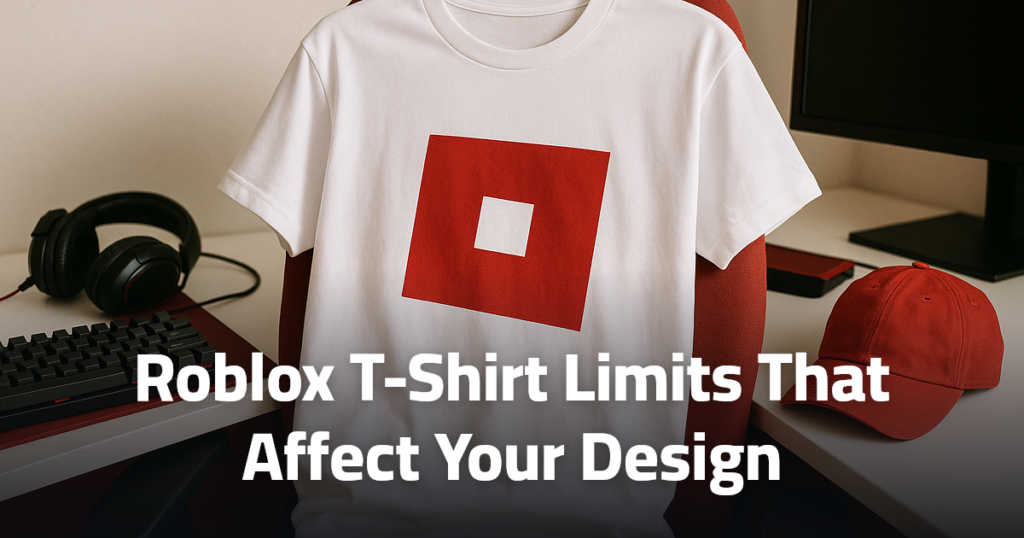
Roblox T-Shirt Limits That Affect Your Design
Jul
What can you really change with a Roblox clothing item, and what stays fixed no matter how good your art is? That is where most beginners get confused. A Roblox T-shirt is one of the simplest avatar items to make, but it also comes with strict limits that affect placement, quality, and approval. If you understand those limits before you design, you can avoid blurry uploads, misplaced graphics, and moderation problems that waste time or Robux.
What does a Roblox T-shirt actually let you customize?
A Roblox T-shirt does not work like a full shirt. That difference matters more than most beginners expect. In classic avatar clothing, a T-shirt places a single image on the front of the avatar’s torso. It does not wrap around the arms, sides, or back the way a classic shirt can. So if you are imagining a full outfit, a jacket print, or a design that continues across multiple body areas, a T-shirt format is the wrong tool.
That is the first practical limit. A T-shirt is best for a logo, centered graphic, simple slogan, or badge-style image. It is not built for all-over clothing art. Roblox separates classic clothing types for a reason, and the platform also now includes layered clothing, which behaves differently again. You can review Roblox’s own creator documentation through Roblox Creator Hub to see how classic clothing and newer avatar systems are categorized.
For beginners, the easiest way to think about it is this. A T-shirt customizes one visible panel, while a shirt customizes a full body template. That is why many first attempts look disappointing. The creator expected hoodie-level coverage, but the system only showed a square image on the chest. If your goal is simple avatar branding, the T-shirt format works well. If your goal is a full fashion piece, you need a different clothing type.
That limitation also affects buying decisions. If you browse gaming-style apparel ideas on sites that focus on visual identity, such as Gaming Clothing, you can see the same principle in real-world merch: a chest graphic and a full garment print create very different results. Roblox T-shirts follow that same logic, just with stricter technical boundaries.
Which design limits cause most Roblox T-shirts to fail?
Most failed designs do not fail because the art is ugly. They fail because the creator designed for the wrong surface, used hard-to-read details, or ignored how the avatar displays the image. Since a T-shirt only shows one front graphic area, tiny text, thin outlines, and crowded compositions often become unreadable. A design that looks sharp in an image editor can turn muddy once it is scaled onto an avatar.
Another common limit is placement expectation. Beginners often assume Roblox will intelligently center, crop, or resize the image in a flattering way. It will not fix a weak composition for you. If the important part of your image sits too close to the edge, looks off-center, or depends on fine detail, the final result may feel awkward even if the upload succeeds. Good Roblox T-shirt design usually means bold shapes, clear contrast, and a focal point that still reads at a small size.
Background handling also causes trouble. If a creator uploads a graphic with a visible box around it, the avatar may show that box instead of a clean isolated image. That can make the item look cheap. Transparent backgrounds are often the better choice when the goal is a floating logo or emblem. The design should feel intentional on the torso, not like a screenshot pasted onto a character.
One more limit is style mismatch. Roblox avatars vary in body shape, proportions, and clothing combinations. A graphic that looks balanced on one avatar may feel too high, too low, or too small on another. That is not always a bug. It is a consequence of designing for a platform with multiple avatar presentations, classic clothing, and layered clothing interactions. Before you upload, imagine the design on a blocky avatar and on a more stylized avatar. If it only works in one case, the design is fragile.
For players who enjoy comparing how gear changes the overall look and feel of a setup, the same practical mindset appears in guides like Gaming Headsets vs Gaming Earbuds for Different Play Styles. The lesson is similar: the format shapes the result, so the best choice depends on the limits of the system, not just the idea in your head.
How do the shirt template and image size affect the final look?
This is where many beginners mix up a T-shirt with a shirt. A Roblox T-shirt does not use the full classic clothing body map in the same way a shirt does. That means the well-known Roblox shirt template is important mainly as a point of comparison. If you are creating a classic shirt, the template controls front, back, sides, and sleeves. If you are creating a T-shirt, you are usually working with a simpler image meant for the torso front display instead of a wraparound garment layout.
Image size still matters because clarity matters. Roblox compresses and displays uploaded assets within its own system, so a low-quality source image can quickly become blurry. A very small file with fine lettering usually performs badly. A clean image with enough resolution to preserve edges will hold up better after upload. Roblox and broader image standards both reinforce the same principle: clear source files produce better displayed results. For background on digital image resolution, Wikipedia’s image resolution overview gives a useful plain-language explanation.
The practical takeaway is simple. Design larger than the final on-avatar appearance, keep the composition readable, and avoid relying on tiny details. If your graphic includes text, test whether it still reads when shrunk dramatically. If it does not, simplify it. Strong icon shapes, bold lettering, and clean spacing usually outperform complex art in a small display area.
A beginner-friendly workflow helps here. Start with a centered canvas, place one main graphic, leave breathing room around the edges, and preview it at a much smaller size before export. If the design still communicates its idea at a glance, you are on the right track. If not, adding more detail will usually make it worse, not better.
What rules should you check before uploading a Roblox T-shirt?
The most important upload check is whether the image follows Roblox clothing rules and general platform standards. Roblox moderates user-created content, including avatar items, and that means a technically correct upload can still be rejected if the image breaks policy. You should expect restrictions around explicit content, hateful symbols, harassment, misleading imagery, and anything that violates Roblox community standards or marketplace rules.
You should also check whether the design uses logos, characters, or artwork you do not own or have permission to use. Copyright and trademark issues are easy for beginners to overlook, especially when making fan-style items. Even if something seems common online, that does not make it safe to upload or sell. Roblox’s policy framework and moderation systems exist to manage exactly that kind of content risk. The best starting point is Roblox Support along with the creator documentation.
Another rule to check is whether the design could be interpreted as trying to imitate official Roblox items, brands, or sensitive categories in a misleading way. A parody-style idea might feel harmless, but if the item appears deceptive, offensive, or policy-sensitive, approval is less likely. Moderation is not only about obvious violations. It also concerns context, presentation, and whether the item fits the platform’s rules for user-generated content.
Before uploading, run a four-part check. First, confirm the image is yours to use. Second, confirm the graphic is readable on the avatar. Third, confirm the background and edges look intentional. Fourth, confirm nothing in the design could trigger moderation for safety, abuse, or rights issues. That short review catches a large share of beginner mistakes before they become failed uploads.
If you want a broader sense of the gaming culture context around custom identity and merch, browsing Shop Gaming Apparel & Accessories | Yes Gaming Plz can help clarify the difference between inspiration and direct copying. Inspiration is normal. Reusing protected art is where trouble starts.
Which Roblox T-shirt mistakes lead to moderation or poor results?
The most common mistake is designing a full outfit concept as if a T-shirt were a full shirt. That leads to disappointment even when the upload is approved. The second mistake is using low-contrast art. Dark graphics on dark clothing areas, pale text with weak outlines, or busy textures often disappear on the avatar. A design can be technically valid and still look bad because the visual hierarchy is weak.
Another frequent problem is careless sourcing. A creator grabs an image from a search result, adds a few effects, and assumes that changes enough to make it original. It usually does not. That can create moderation issues or removal risk later. Original graphics, licensed assets, or clearly permitted artwork are the safer route.
Text-heavy designs are another trap. A slogan that fills most of the image may seem fun in the editor, but on the avatar it can become cramped and unreadable. Shorter wording works better. So does designing around one visual idea instead of trying to include a joke, a logo, a background texture, and multiple decorative elements at once. Good Roblox T-shirt design is often more like a sticker than a poster.
Some creators also forget to test the emotional tone of the item. Roblox moderation does not only react to nudity or graphic violence. Aggressive insults, hateful references, sexually suggestive jokes, and shock-value imagery can all create problems. The safest rule is simple: if the design would look questionable on a game platform used by a wide age range, do not upload it.
A final mistake is skipping the preview mindset. Imagine a small shop that prints a chest logo on a hoodie. The owner would never approve the final item without checking scale, alignment, and readability. Roblox creators need the same discipline. Treat the avatar as the product display, not the image editor canvas. That small shift prevents many bad uploads.
How should you decide whether a Roblox T-shirt is the right format?
Use a Roblox T-shirt when your idea can be expressed as one strong front graphic. That includes logos, symbols, meme-style chest prints, and simple branding. Do not use it for full outfits, complex fashion concepts, or designs that depend on wraparound placement. If your concept needs more than one surface, move on early instead of forcing the wrong format.
The best decision rule is blunt but useful. If the design still works as a single centered image at a small size, a T-shirt is probably the right choice. If the design needs sleeves, back art, tiny text, or lots of detail to make sense, choose another clothing type or rethink the concept before you upload.
