
Uncategorized
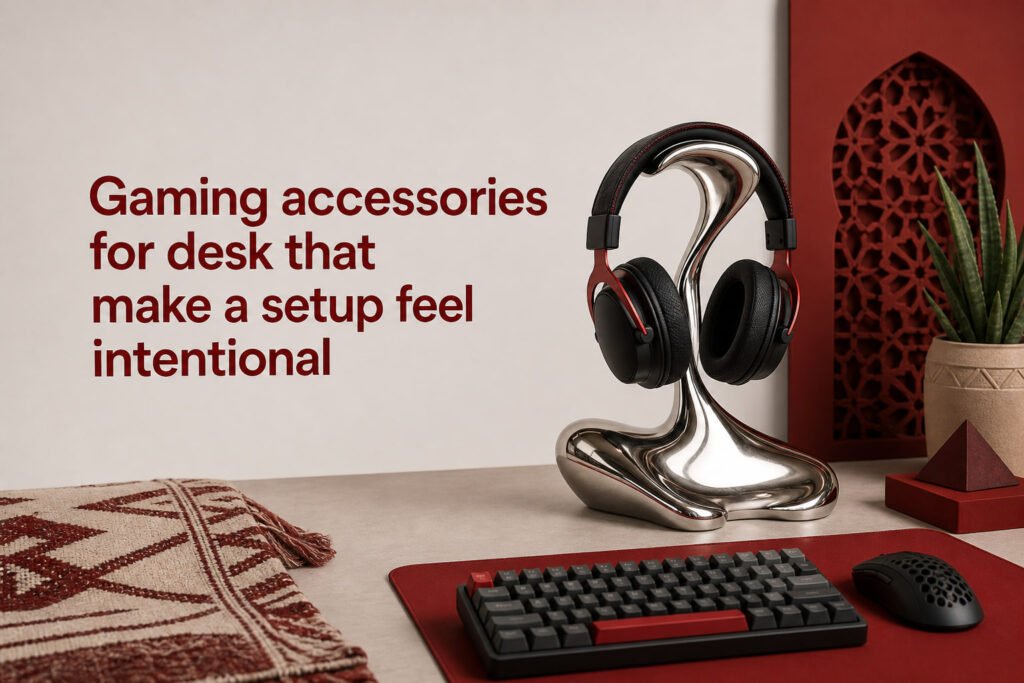
Gaming accessories for desk that make a setup feel intentional
Aug
gaming accessories for desk setups are worth buying when they fix a real friction point first: mouse space, cable mess, monitor height, lighting, or storage. That is the difference between a desk that only looks themed and one that actually supports ranked sessions, longer aim practice, and a cleaner camera-ready setup. If you are choosing between functional gear and pure decor, start with the items that improve control and reclaim space, then add the pieces that give the desk personality without stealing room from your hands.
Which gaming accessories for desk setups are worth buying first?
The best first buys are an extended desk mat, basic cable management, a monitor stand or riser, and one controlled lighting source. Those four pieces solve the most common desk problems in order: inconsistent mouse glide, visible cable drag, bad screen height, and flat or harsh lighting. If your desk still feels cramped after that, a headset stand becomes the next upgrade. Decorative pieces come later, once the desk already plays well.
For most players, the featured-snippet answer is simple: buy an extended desk mat, cable clips or a tray, a monitor riser, and a desk lamp first. Add a headset stand if your headset lives on the desk, then add wall art or a branded mug only if they do not steal mouse space or force awkward reach.
Space-saving basics
An extended mat earns its place first because it defines the active zone of the desk. It keeps keyboard and mouse on one surface, reduces small height transitions, and visually groups the setup so loose items stop spreading. A low-profile monitor stand helps in a different way: it lifts the display and creates usable storage underneath for a controller, notebook, DAC, or small charging dock.
Cable management matters more than many buyers expect because cable loops eat depth and catch your wrist. A few adhesive clips, a sleeve, or an under-desk tray can remove the visual noise that makes a setup feel unfinished. If you are considering a premium mat, this guide on When a Custom Gaming Mouse Pad Is Worth Buying helps sort style from actual value.
Comfort and control
Comfort pieces are worth buying early only when they change posture or hand movement. A monitor riser that brings the screen closer to eye level reduces neck dip during long sessions. A desk lamp with directional light lowers screen glare better than a bright overhead bulb because you can aim it away from the panel and keep the keyboard visible without washing out the monitor.
Mouse cable drag is another hidden performance issue. If you use a wired mouse, even a simple clip position can reduce tug enough to make flicks feel cleaner. You do not need a full display of accessories to improve play. You need fewer interruptions between hand movement and on-screen response.
Style pieces that still earn their place
Style pieces are worth it when they use vertical space or dead space, not the main play zone. Good examples include a poster above the monitor, a wall flag off to one side, or a headset stand tucked outside your mouse arc. Bad examples are oversized desk figurines, deep cup holders that block forearm movement, and lamps with wide bases that eat the front corners of the desk.
- A poster or flag works when it sits behind the setup, not on the working surface.
- A mug belongs on the non-mouse side, ideally near the back edge to avoid spills during quick hand movement.
- A headset stand is useful only if it keeps the headset off the mat and does not force a long reach every time you queue.
How do you choose desk accessories that match your play style?
You choose by matching accessories to movement speed, session length, and how disciplined you are about desk clutter. Fast competitive players usually need more clear mouse area and less surface decoration. Long-session players benefit more from posture, lighting, and easy-reach storage. Players who care most about vibe should still build around the same rule: the accessory cannot interfere with the keyboard, mouse, monitor sightline, or drink placement.
Fast-paced play
Fast-paced play favors low obstruction and predictable movement. If you play shooters, MOBAs, or any game with frequent flicks and resets, keep the desk front edge clear and avoid tall accessories near your dominant hand. Your ideal gaming desk setup usually includes a larger mat, tighter cable routing, and fewer tabletop pieces because every extra object creates a collision point or a visual distraction.
For wired gear, cable routing should leave a gentle slack line rather than a loop that drags across the desk. For audio, the right choice depends on heat, isolation, and desk footprint, which is why Gaming Headset or Headphones: What Fits Your Setup? is part of the same decision.
Long-session comfort
Long-session comfort favors support and repeatable reach. Put the monitor at a height that keeps your neck neutral, place frequently used items inside easy arm reach, and choose a lamp that lights the desk without reflecting in the screen. A headset stand becomes more useful here because repeated drop-and-grab habits create clutter fast when the headset is left on the mat or keyboard.
Drink placement matters more than buyers think. Put a mug or cup on the opposite side of your mouse hand and slightly behind your main movement area. Front-corner placement looks neat in photos but is the easiest place to clip during a tense moment.
Competitive look versus casual look
A competitive look is tighter, darker, and more intentional. A casual look usually tolerates more display pieces, color variety, and open storage. Neither is better, but the competitive look depends on restraint. Two strong visual cues, like a clean poster and one bold desk mat, usually land harder than six small themed items fighting for attention.
If you want the desk to signal rank energy without turning messy, use wall pieces instead of tabletop clutter. Gaming Room Decor That Feels Competitive, Not Messy is useful for that exact shift from random merch to a coherent setup.
What makes a desk accessory useful instead of just decorative?
A desk accessory is useful when it either improves movement, improves posture, improves visibility, or removes clutter from the active area. If it does none of those, it is decor. Decor is not bad, but it should be chosen knowingly. The mistake buyers make is expecting every themed item to count as setup gear. Some pieces finish the vibe. Others change how the desk works. Those are not the same purchase.
The easiest test is whether you would miss the item after one week of use. You will miss a good monitor riser because your screen height changes. You will miss a cable clip because your mouse line starts catching again. You usually will not miss a random tabletop ornament except visually, which means it belongs in the decor category, not the functional one.
- Functional: desk mat, riser, lamp, cable tray, headset stand, controller dock.
- Hybrid: branded mug, RGB light bar, decorative storage tray, wall shelf.
- Mostly decorative: figurines in the hand zone, oversized signs on the desk, novelty holders that waste depth.
This is where many desk accessories for gamers get overbought. Buyers often stack small themed pieces across the desk because each one feels harmless alone. Together they shrink the usable surface, complicate cleaning, and make the setup look busier instead of sharper.
What questions do buyers usually ask before they add desk gear?
Do I need a headset stand if I already have free desk space? A headset stand is worth it only if it keeps the headset out of your keyboard zone, stops cable tangles, or protects the earcups from getting crushed under other gear. If you already place the headset safely off-desk, the stand is optional.
Is a huge desk mat always better? A huge mat is better only if it matches your actual mouse travel and keyboard position. If the mat forces other items to perch awkwardly or hang off the desk, it creates clutter instead of solving it.
Should lighting be RGB or neutral? Neutral or adjustable white light is more useful for the desk itself because it improves visibility without tinting everything. RGB works best as background mood lighting, not as the main task light for your hands and controls.
Where should a mug go on a gaming desk? A mug should sit on the non-mouse side and slightly behind the main hand zone. That placement lowers spill risk and keeps the cup from blocking flicks, elbow movement, or fast keyboard reaches.
What is the smartest decor upgrade if the desk already feels full? The smartest decor upgrade is wall-mounted art, not another desktop object. Wall placement adds personality, keeps the surface playable, and usually makes the whole setup feel more intentional than piling on one more small accessory.
Final rule: buy the next desk accessory only if you can name the exact problem it fixes in one sentence. If you cannot, it is probably decor, and decor should use wall space or dead space rather than your main play area.
